
Layer · lines and marks
Waves
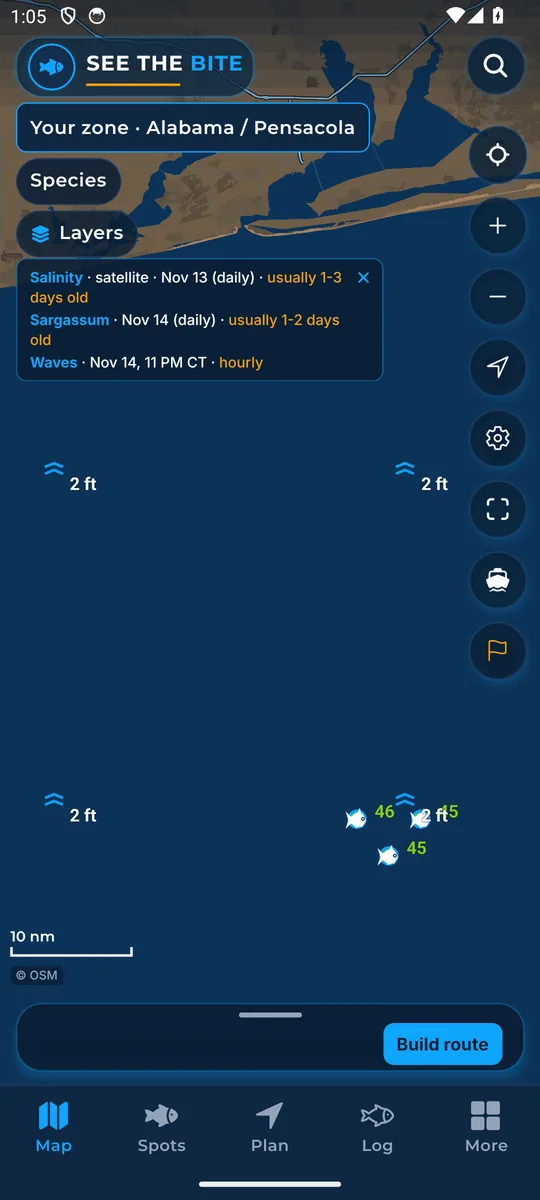
Wave marks and heights for the current hour.
What it shows
Wave marks and numbers show forecast wave height.
Where the data comes from
Open-Meteo Marine hourly wave model for the current hour.
How to turn it on
- Tap Layers, then More layers, and tap the Waves switch. Waves is also a switch in More.
How to use it
- Compare the seas with your boat and crew before leaving.
- Set your own sea and wind limits on Your boat.
In the app tour
Tour step 27 of 67 · Layers · Waves
Waves draws the wave field. Tap the switch to show or hide it.
See this step in the full tutorial →
Related
Every layer is included
One subscription opens every layer and feature. Founders get the first year for $80. See ordering and prices or give a year as a gift.
App Store coming soonGoogle Play coming soon
See The Bite is coming to the App Store and Google Play. The store links are not live yet.