
Chlorophyll (water color): Easy or Detailed
Shows where clean blue water meets greener water, the edge where bait often gathers.
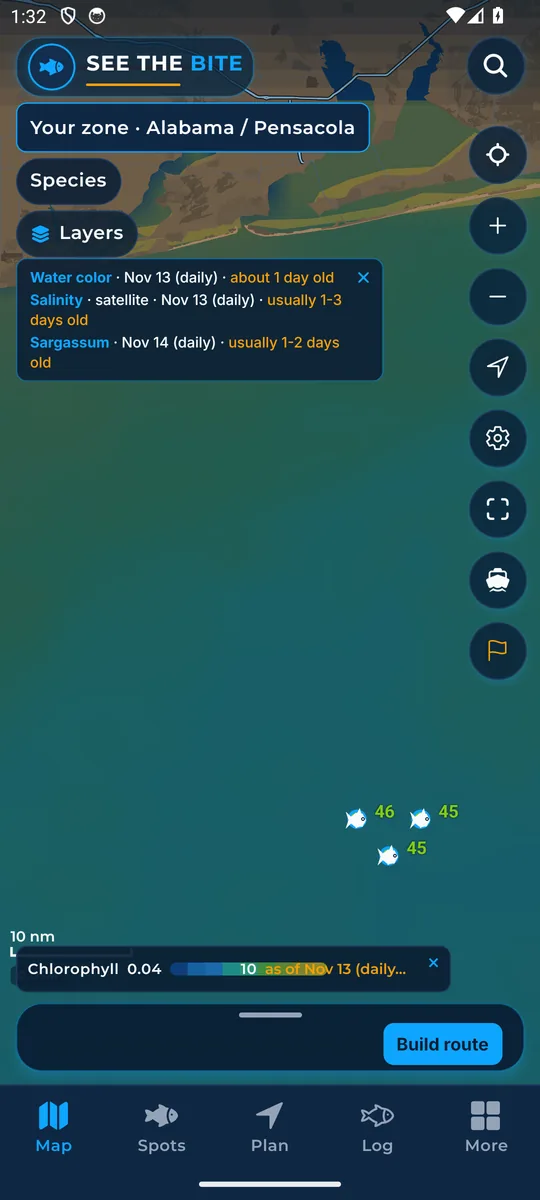
What it shows
Chlorophyll is the green color that tiny ocean plants (plankton) give the water. Blue means less tiny plant life; greener water means more. The legend shows the amount.
Where the data comes from
NOAA CoastWatch VIIRS daily satellite data with a cloud-gap fill. Check the date shown.
How to turn it on
- Tap Layers, then the Chlorophyll checkbox.
- In More layers the same switch is called Chlorophyll / water color. In More it is Chlorophyll shading.
How to use it
- Easy is the default. It shows clean blue water and green water, with a sharp edge at the clean-water break. That edge is where to look.
- Detailed shows the full range. Tap the water for the exact number.
- Switch between Easy and Detailed from the Chlorophyll row in Layers or the strip on the map.
- Find an edge between clear and greener water that may gather bait.
- Chlorophyll uses the same color picture as sea temperature, so the other color picture turns off.
In the app tour
Tour step 12 of 67 · Layers · Chlorophyll
Chlorophyll paints water color. Tap the checkbox. Under More layers the same switch is named Chlorophyll / water color. It uses the same picture as sea temperature, so the other color field turns off.
Tour step 13 of 67 · Layers · Easy or Detailed
Easy is the default. It shows clean blue water and green water, with a sharp edge at the clean-water break. That edge is where to look. Detailed shows the full range. Tap for the exact number. Switch from the Chlorophyll row in Layers or the on-map strip.
See this step in the full tutorial →
Related
Every layer is included
One subscription opens every layer and feature. Founders get the first year for $80. See ordering and prices or give a year as a gift.
See The Bite is coming to the App Store and Google Play. The store links are not live yet.