
Pick your species
Turn fish on and off. Scores and fish marks follow your picks, with all six species scored throughout launch waters.
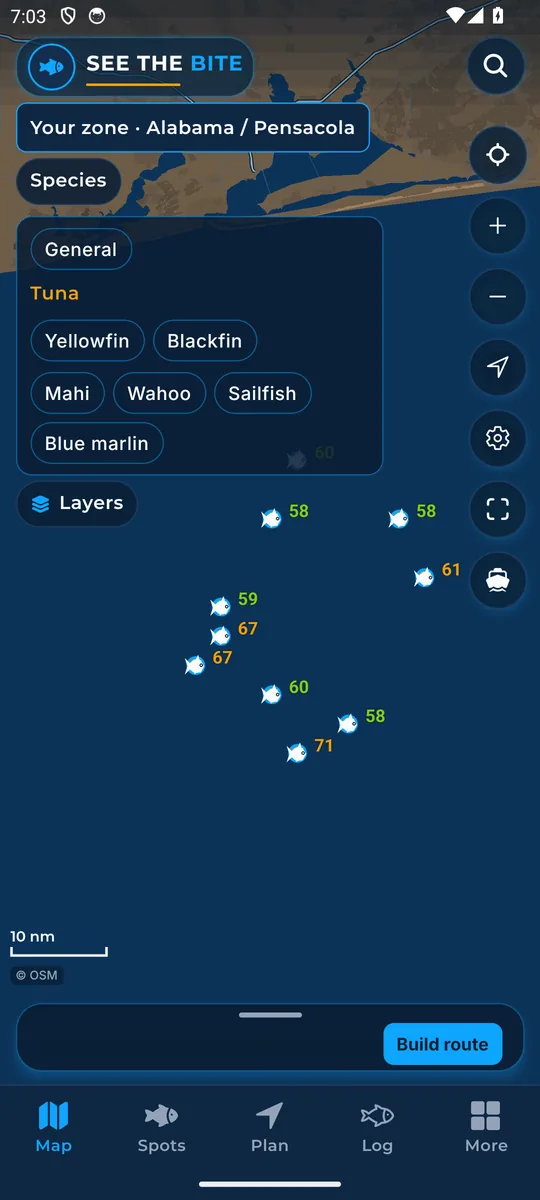
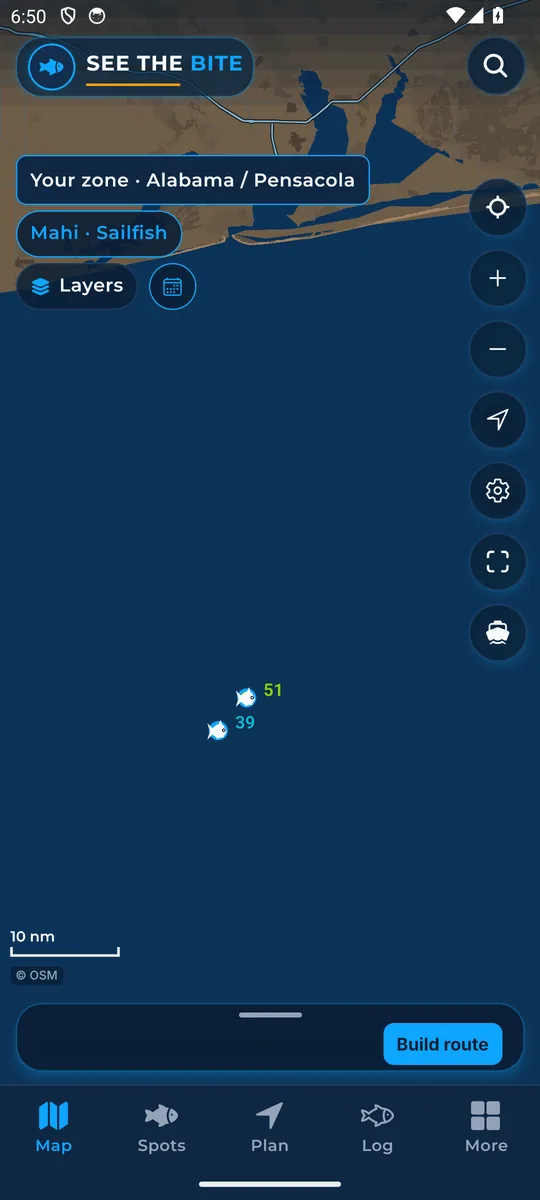
What it shows
The species picker sets which fish the scores follow. At launch, See The Bite scores yellowfin tuna, blackfin tuna, mahi, wahoo, sailfish and blue marlin throughout its offshore coverage from Texas around Florida and the Keys up the East Coast to New England. The species picker also has a General choice.
How to find it
- Tap Species on the Map.
- Tap a fish to turn it on. Tap it again to turn it off.
- Nothing is picked until you tap.
How to use it
- Scores, fish marks and the bite heat follow the fish you picked.
- You can pick more than one fish. The chip then shows them together, like Mahi · Sailfish.
- The same six species are available in every launch zone.
In the app tour
Tour step 6 of 67 · Map · Species
Tap Species. Tap a fish to turn it on, and tap it again to turn it off. Nothing is selected until you tap. Scores then follow those fish. At launch, See The Bite scores yellowfin tuna, blackfin tuna, mahi, wahoo, sailfish and blue marlin throughout its offshore coverage from Texas around Florida and the Keys up the East Coast to New England.
See this step in the full tutorial →
Related
Every layer is included
One subscription opens every layer and feature. Founders get the first year for $80. See ordering and prices or give a year as a gift.
See The Bite is coming to the App Store and Google Play. The store links are not live yet.