
Layers list and More layers
Turn layers on and off from the Layers list, the More layers sheet, or the switches in More.
What it shows
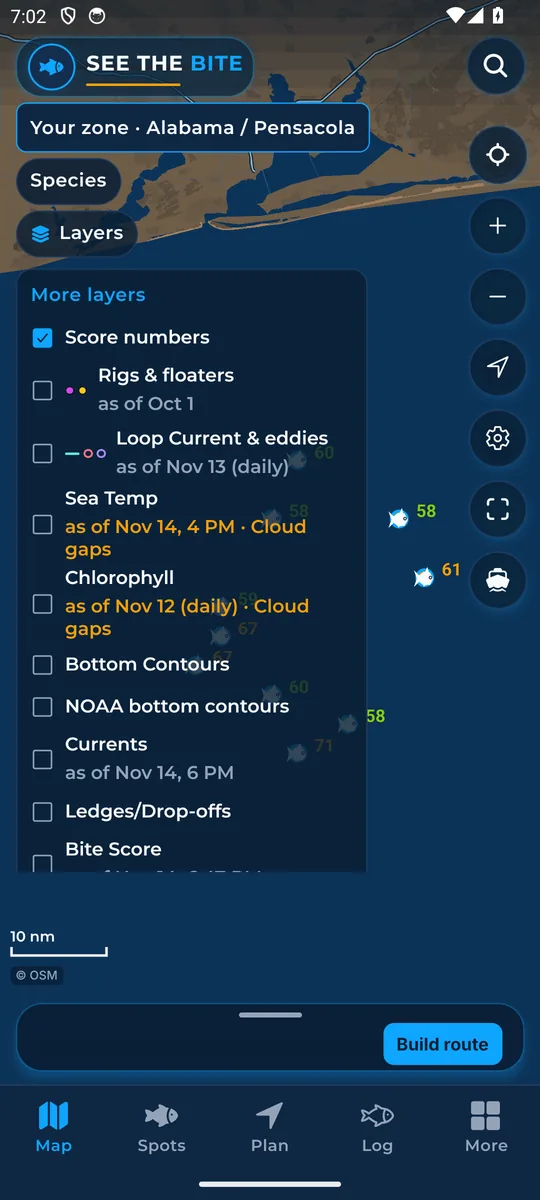
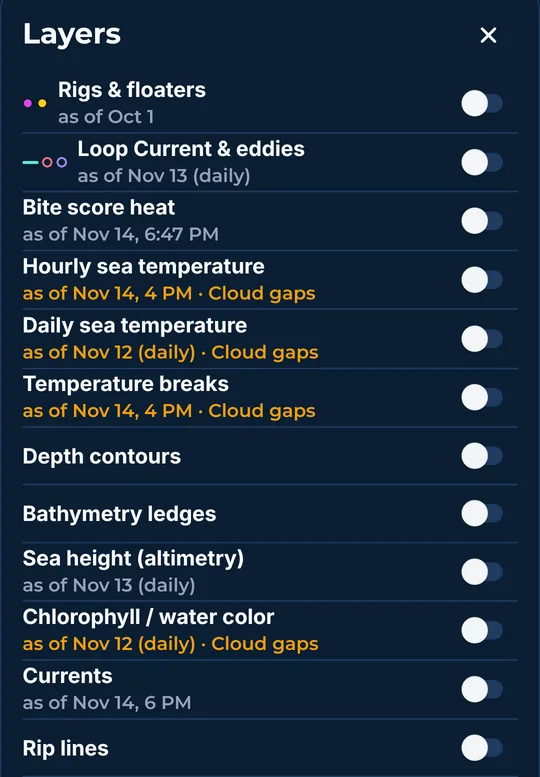
Layers are the pictures and lines you can paint on the chart. The short Layers list has the most-used ones. More layers opens a sheet with every switch, each layer's as-of time, the color key, and the sea-temperature slider.
How to turn it on
- Tap Layers on the Map to open the list.
- Tap a checkbox to turn that layer on or off. The list stays open while you do.
- Tap Layers again to close it.
- Tap More layers for the full sheet. Tap Close layers to leave it.
How to use it
- Some layers share one color picture. Turning one of those on turns the others off. See One color field.
- Lines and marks (contours, ledges, currents, rip lines, rigs and more) can stack on top of the color picture.
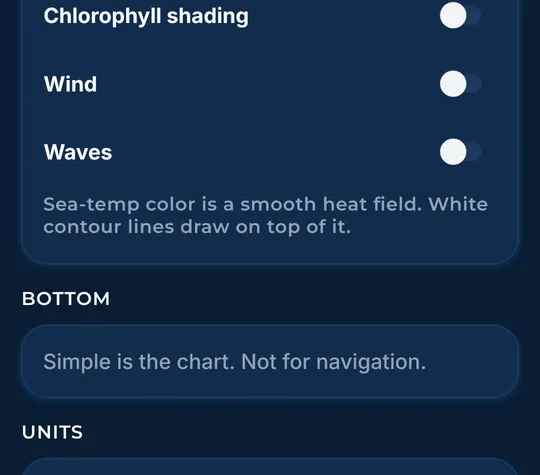
- The same switches also live in the More tab: Sea temperature, Bottom contours, Currents, Ledges / drop-offs, Score numbers, Chlorophyll shading, Wind and Waves. They match the map.
Names in the app: In the app the full sheet is called More layers. Some layers have a short name in the Layers list and a longer name in More layers (for example Bottom Contours and Depth contours).
In the app tour
Tour step 8 of 67 · Layers · Layers list
Tap Layers to open this list. Tap a checkbox to turn that layer on or off. The list stays open while you do that. Tap Layers again to close it.
Tour step 20 of 67 · Layers · More layers
Tap More layers for the rest of the switches, the color key, and the temperature slider. Tap Close layers to leave that sheet.
Tour step 56 of 67 · More (settings) · Layers in More
These switches match the map. Tap Sea temperature, Bottom contours, Currents, Ledges / drop-offs, Score numbers, Chlorophyll shading, Wind, or Waves.
See this step in the full tutorial →
Related
Every layer is included
One subscription opens every layer and feature. Founders get the first year for $80. See ordering and prices or give a year as a gift.
See The Bite is coming to the App Store and Google Play. The store links are not live yet.