
Map
Move the chart
Drag to pan, pinch to zoom, and pull down to refresh the water.
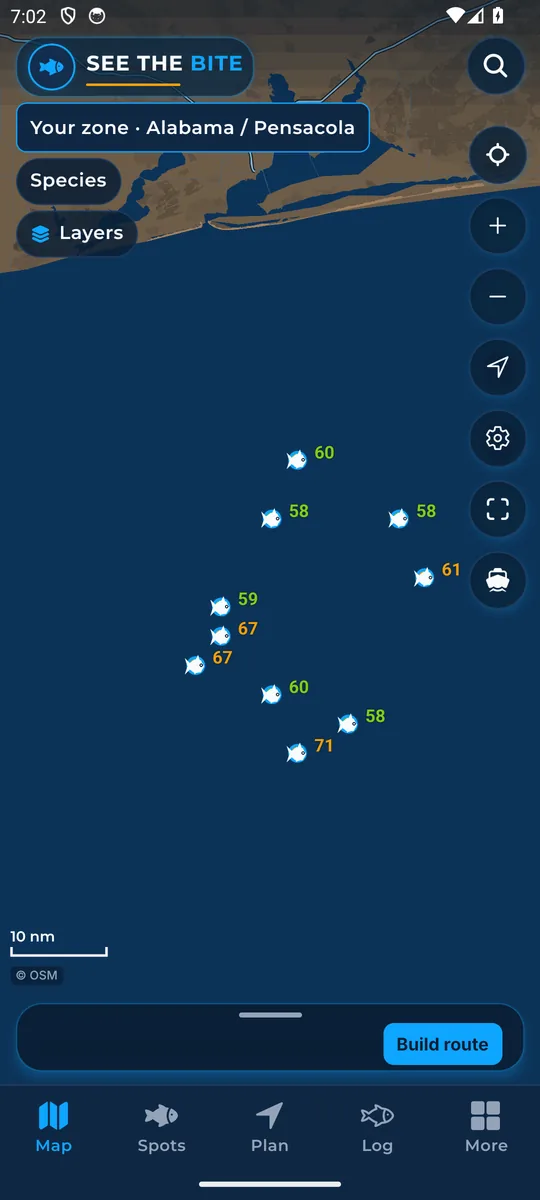
What it shows
The chart is the big map on the Map tab. It shows the coast, the water, suggested fishing spots, and any layers you turn on.
How to find it
- Open the app. The Map tab opens first.
- The chart is always on. There is nothing to switch on.
How to use it
- Drag one finger to pan (slide the map around).
- Pinch two fingers apart to zoom in, or together to zoom out.
- Pull down on the trip sheet, Spots, Plan, Log, or More to refresh the water (get the newest ocean data).
In the app tour
Tour step 1 of 67 · Map · Move the chart
Drag one finger to pan. Pinch two fingers to zoom. Pull down on the trip sheet, Spots, Plan, Log, or More to refresh the water.
See this step in the full tutorial →
Related
Every layer is included
One subscription opens every layer and feature. Founders get the first year for $80. See ordering and prices or give a year as a gift.
App Store coming soonGoogle Play coming soon
See The Bite is coming to the App Store and Google Play. The store links are not live yet.