
Layer · color picture
Daily sea temperature
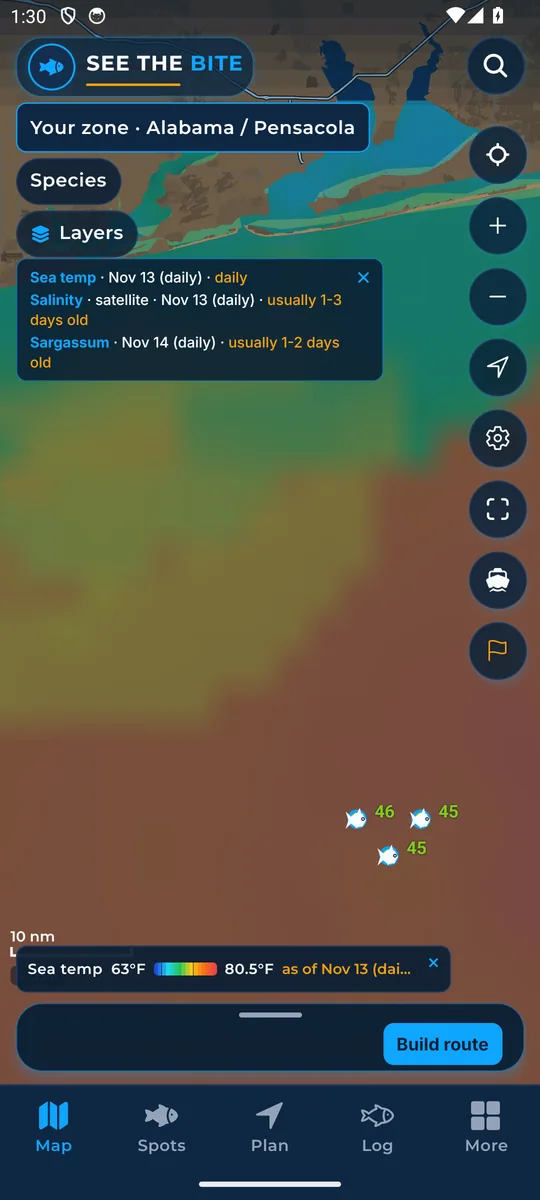
The day view of sea temperature, a wider blended picture about one day old.
What it shows
Colors show cooler to warmer water in the daily blend. The legend gives degrees.
Where the data comes from
NOAA blended satellite temperature, usually about one day old. Check the date shown.
How to turn it on
- Tap Layers, then More layers.
- Tap the Daily sea temperature switch. Hourly turns off, since both cannot paint at once.
How to use it
- Use the wider view to find warm water, then compare it with the newer hourly readings.
- On a cloudy day the daily blend can fill in what the hourly picture cannot see.
In the app tour
Tour step 22 of 67 · Layers · Daily sea temperature
Daily sea temperature is the day view. Tap the switch. Hourly turns off, since both cannot paint at once.
See this step in the full tutorial →
Related
Every layer is included
One subscription opens every layer and feature. Founders get the first year for $80. See ordering and prices or give a year as a gift.
App Store coming soonGoogle Play coming soon
See The Bite is coming to the App Store and Google Play. The store links are not live yet.