
Rigs & spots
Saved spots
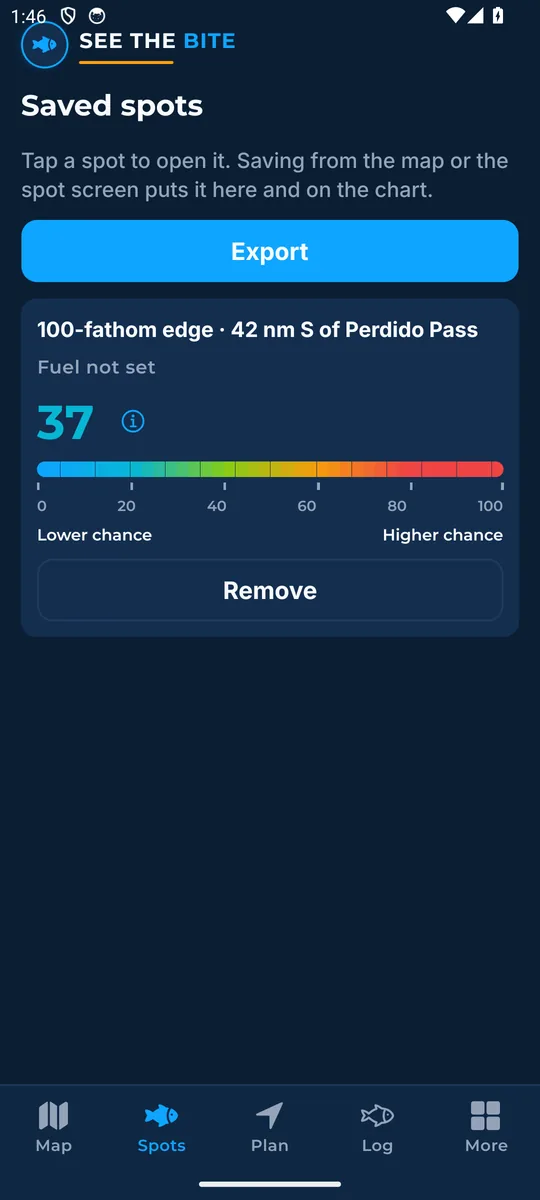
The Spots tab keeps the marks you saved on this phone. Export them all as one GPX file.
What it shows
The Spots tab keeps marks saved on this phone, each with its score.
How to find it
- Save a spot from the map or the Spot screen.
- Then tap the Spots tab.
How to use it
- Tap a name to open it.
- Tap Remove to delete it from this phone.
- Tap Export to share them all as one GPX file for your plotter.
- An empty list sends you to the map.
In the app tour
Tour step 39 of 67 · Rigs & spots · Saved spots
Spots keeps marks saved on this phone. Tap a name to open it. Tap Remove to delete it here. Tap Export to share them as one GPX file. An empty list sends you to the map.
See this step in the full tutorial →
Related
Every layer is included
One subscription opens every layer and feature. Founders get the first year for $80. See ordering and prices or give a year as a gift.
App Store coming soonGoogle Play coming soon
See The Bite is coming to the App Store and Google Play. The store links are not live yet.