
Rip lines
Marks seams where the surface water is pulling apart, where weed lines and slicks form.
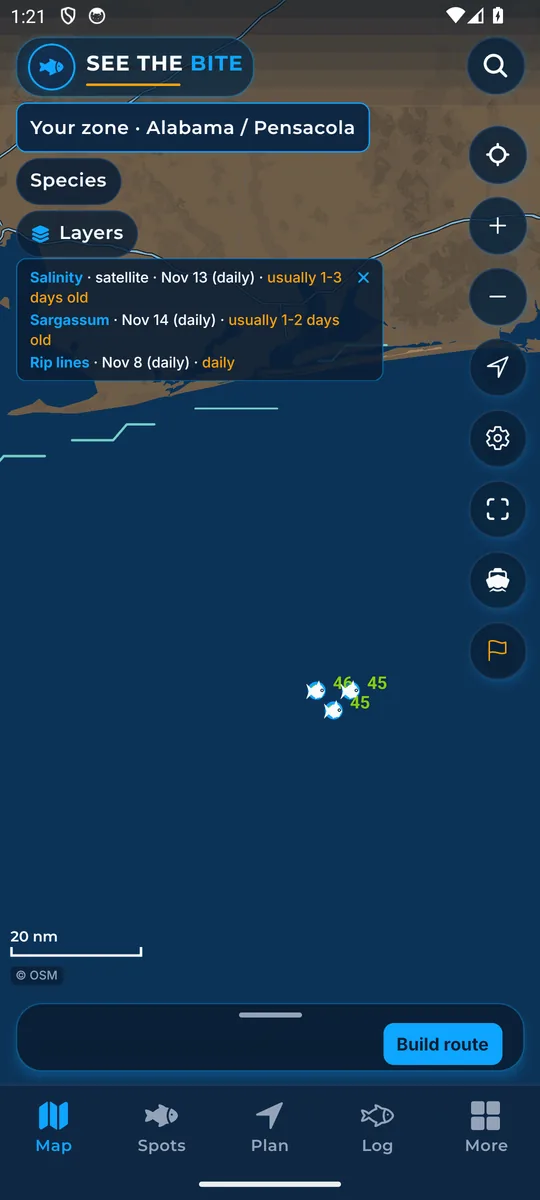
What it shows
Rip lines mark where the surface water is pulling apart fastest, which is where a weed line (a line of floating seaweed) or a slick usually forms. Thicker lines mean a stronger edge. These are offshore seams. They are not beach rip current warnings.
Where the data comes from
Computed daily from NOAA CoastWatch blended currents, about a day behind.
How to turn it on
- Tap Layers, then More layers.
- Tap the Rip lines switch.
How to use it
- Search a seam for bait, especially near steep bottom.
- Turn on Bait Traps to see where a seam meets steep bottom.
In the app tour
Tour step 24 of 67 · Layers · Rip lines
Rip lines mark where the surface water is pulling apart fastest, which is where a weed line or a slick usually forms. Tap the switch. Thicker lines mean a stronger edge.
See this step in the full tutorial →
Related
Every layer is included
One subscription opens every layer and feature. Founders get the first year for $80. See ordering and prices or give a year as a gift.
See The Bite is coming to the App Store and Google Play. The store links are not live yet.